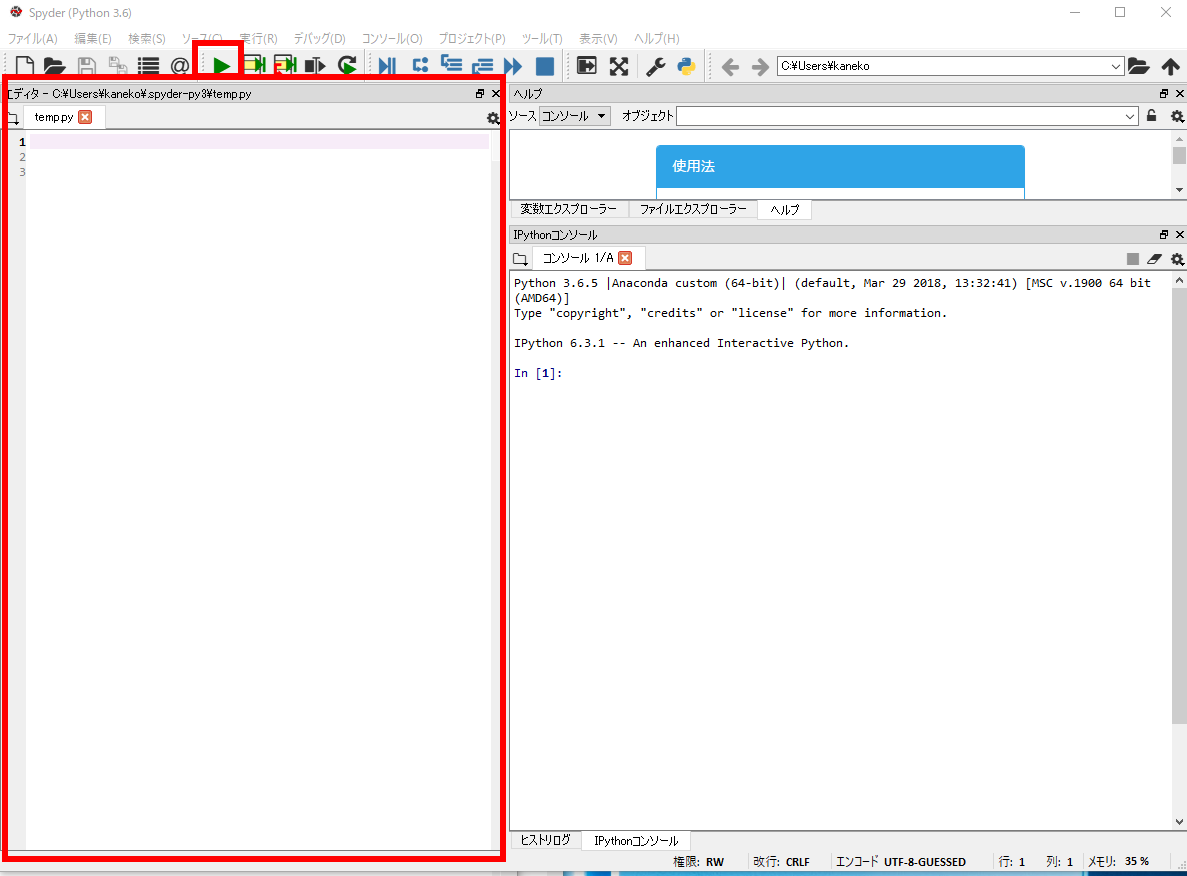
Windows のスタートメニュー「Anaconda3」の下にある.
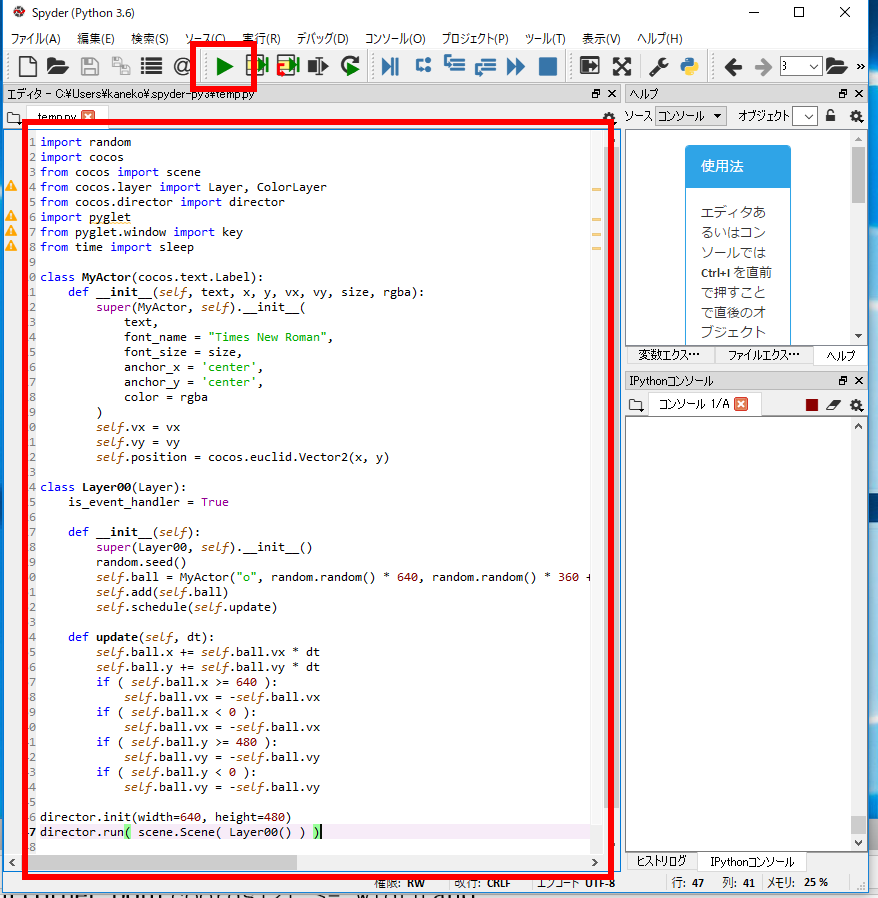
左側がエディタになっている.上に実行ボタンがある
| [サイトマップへ] |
Cocos2d は2次元ゲームのフレームワーク.Python で動く.
このWebページでは、次の基本的なことを、見本プログラムで演習する.
関連する資料:Cocos2d の概要 [PDF版], [パワーポイント版]
関連する資料:ゲームエンジン[PDF版], [パワーポイント版]
参考Webページ: http://python.cocos2d.org/doc.html
参考Webページ: http://docplayer.net/62131747-Python-game-programming-by-example.html
謝辞
Cocos2d の作者に感謝します.
このときに Anacoda のインストールも行う.
Python 処理系を使う.
※ Anacondaに入っている開発環境 spyder を使うのが簡単.
Windows のスタートメニュー「Anaconda3」の下にある.
左側がエディタになっている.上に実行ボタンがある
属性 vx, vy に値を設定している。これらは、あとで使う.
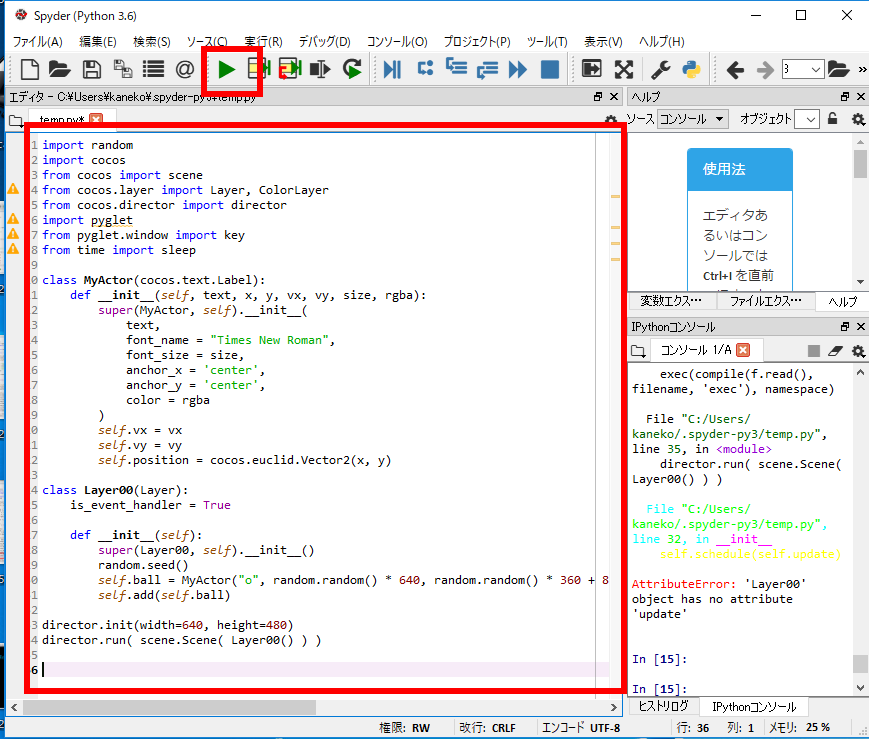
エディタの画面に,次の Python プログラムをコピー&ペーストし, 実行ボタンをクリック.
import random
import cocos
from cocos import scene
from cocos.layer import Layer, ColorLayer
from cocos.director import director
import pyglet
from pyglet.window import key
from time import sleep
class MyActor(cocos.text.Label):
    def __init__(self, text, x, y, vx, vy, size, rgba):
        super(MyActor, self).__init__(
            text,
            font_name = "Times New Roman",
            font_size = size,
            anchor_x = 'center',
            anchor_y = 'center',
            color = rgba
        )
        self.vx = vx
        self.vy = vy
        self.position = cocos.euclid.Vector2(x, y)
class Layer00(Layer):
    is_event_handler = True
    def __init__(self):
        super(Layer00, self).__init__()
        random.seed()
        self.ball = MyActor("o", random.random() * 640, random.random() * 360 + 80, random.random() * 100 - 50, - random.random() * 50, 32, (255, 255, 255, 255))
        self.add(self.ball)
director.init(width=640, height=480)
director.run( scene.Scene( Layer00() ) )
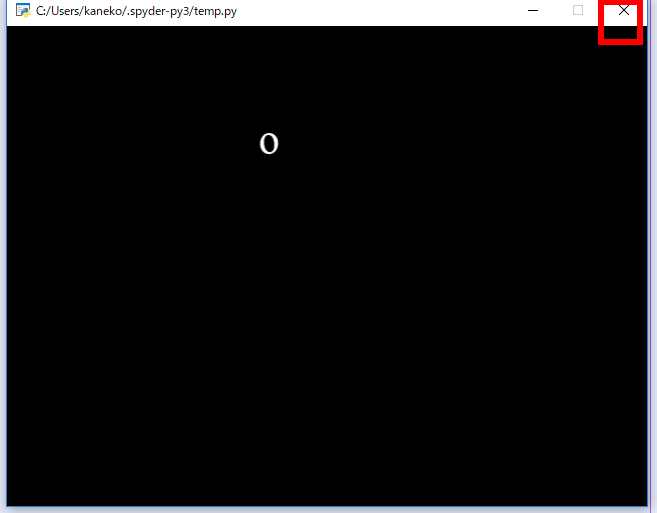
位置と速度: 速度が大きいと、位置が大きく動く. 2次元の世界では、位置は 2つの数字になる(x, y のように)。そして、速度も2つの数値になる.
次を書き加える
self.schedule(self.update)
    def update(self, dt):
        self.ball.x += self.ball.vx * dt
        self.ball.y += self.ball.vy * dt
        if ( self.ball.x >= 640 ):
            self.ball.vx = -self.ball.vx
        if ( self.ball.x < 0 ):
            self.ball.vx = -self.ball.vx
        if ( self.ball.y >= 480 ):
            self.ball.vy = -self.ball.vy
        if ( self.ball.y < 0 ):
            self.ball.vy = -self.ball.vy
エディタの画面に,次の Python プログラムをコピー&ペーストし, 実行ボタンをクリック.
import random
import cocos
from cocos import scene
from cocos.layer import Layer, ColorLayer
from cocos.director import director
import pyglet
from pyglet.window import key
from time import sleep
class MyActor(cocos.text.Label):
    def __init__(self, text, x, y, vx, vy, size, rgba):
        super(MyActor, self).__init__(
            text,
            font_name = "Times New Roman",
            font_size = size,
            anchor_x = 'center',
            anchor_y = 'center',
            color = rgba
        )
        self.vx = vx
        self.vy = vy
        self.position = cocos.euclid.Vector2(x, y)
class Layer00(Layer):
    is_event_handler = True
    def __init__(self):
        super(Layer00, self).__init__()
        random.seed()
        self.ball = MyActor("o", random.random() * 640, random.random() * 360 + 80, random.random() * 100 - 50, - random.random() * 50, 32, (255, 255, 255, 255))
        self.add(self.ball)
        self.schedule(self.update)
    def update(self, dt):
        self.ball.x += self.ball.vx * dt
        self.ball.y += self.ball.vy * dt
        if ( self.ball.x >= 640 ):
            self.ball.vx = -self.ball.vx
        if ( self.ball.x < 0 ):
            self.ball.vx = -self.ball.vx
        if ( self.ball.y >= 480 ):
            self.ball.vy = -self.ball.vy
        if ( self.ball.y < 0 ):
            self.ball.vy = -self.ball.vy
director.init(width=640, height=480)
director.run( scene.Scene( Layer00() ) )
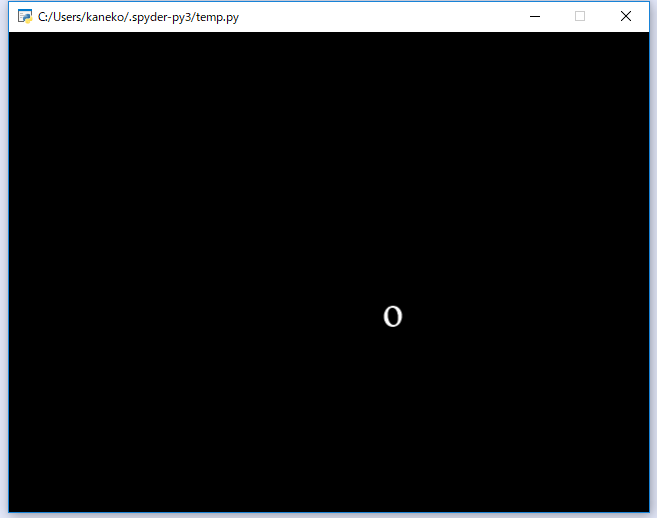
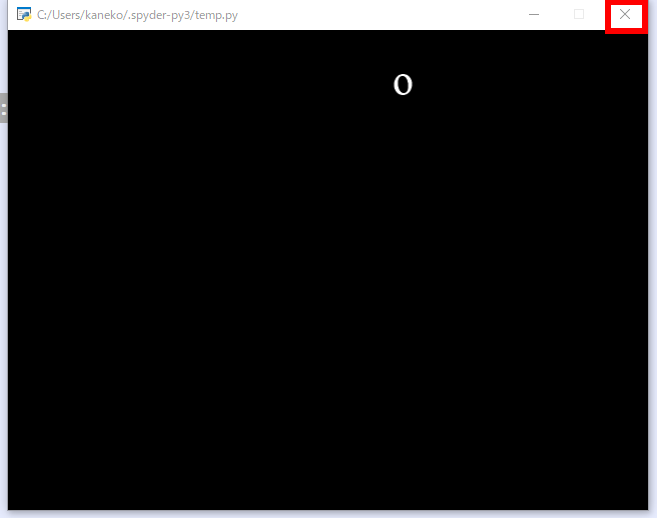
ボールの位置をランダム設定しているので真っ黒に見えるときがあります.真っ黒のときは一度終了して、もう一度実行。
エディタの画面に,次の Python プログラムをコピー&ペーストし, 実行ボタンをクリック.
import random
import cocos
from cocos import scene
from cocos.layer import Layer, ColorLayer
from cocos.director import director
import pyglet
from pyglet.window import key
from time import sleep
class MyActor(cocos.text.Label):
    def __init__(self, text, x, y, vx, vy, size, rgba):
        super(MyActor, self).__init__(
            text,
            font_name = "Times New Roman",
            font_size = size,
            anchor_x = 'center',
            anchor_y = 'center',
            color = rgba
        )
        self.vx = vx
        self.vy = vy
        self.position = cocos.euclid.Vector2(x, y)
class Layer00(Layer):
    is_event_handler = True
    def __init__(self):
        super(Layer00, self).__init__()
        random.seed()
        self.ball01 = MyActor("o", random.random() * 640, random.random() * 360 + 80, random.random() * 100 - 50, - random.random() * 50, 32, (255, 255, 255, 255))
        self.add(self.ball01)
        self.ball02 = MyActor("o", random.random() * 640, random.random() * 360 + 80, random.random() * 100 - 50, - random.random() * 50, 32, (255, 255, 255, 255))
        self.add(self.ball02)
        self.ball03 = MyActor("o", random.random() * 640, random.random() * 360 + 80, random.random() * 100 - 50, - random.random() * 50, 32, (255, 255, 255, 255))
        self.add(self.ball03)
        self.ball04 = MyActor("o", random.random() * 640, random.random() * 360 + 80, random.random() * 100 - 50, - random.random() * 50, 32, (255, 255, 255, 255))
        self.add(self.ball04)
        self.ball05 = MyActor("o", random.random() * 640, random.random() * 360 + 80, random.random() * 100 - 50, - random.random() * 50, 32, (255, 255, 255, 255))
        self.add(self.ball05)
        self.schedule(self.update)
    def update(self, dt):
        for _, node in self.children:
            node.x += node.vx * dt
            node.y += node.vy * dt
            if ( node.x >= 640 ):
                node.vx = -node.vx
            if ( node.x < 0 ):
                node.vx = -node.vx
            if ( node.y >= 480 ):
                node.vy = -node.vy
            if ( node.y < 0 ):
                node.vy = -node.vy
director.init(width=640, height=480)
director.run( scene.Scene( Layer00() ) )
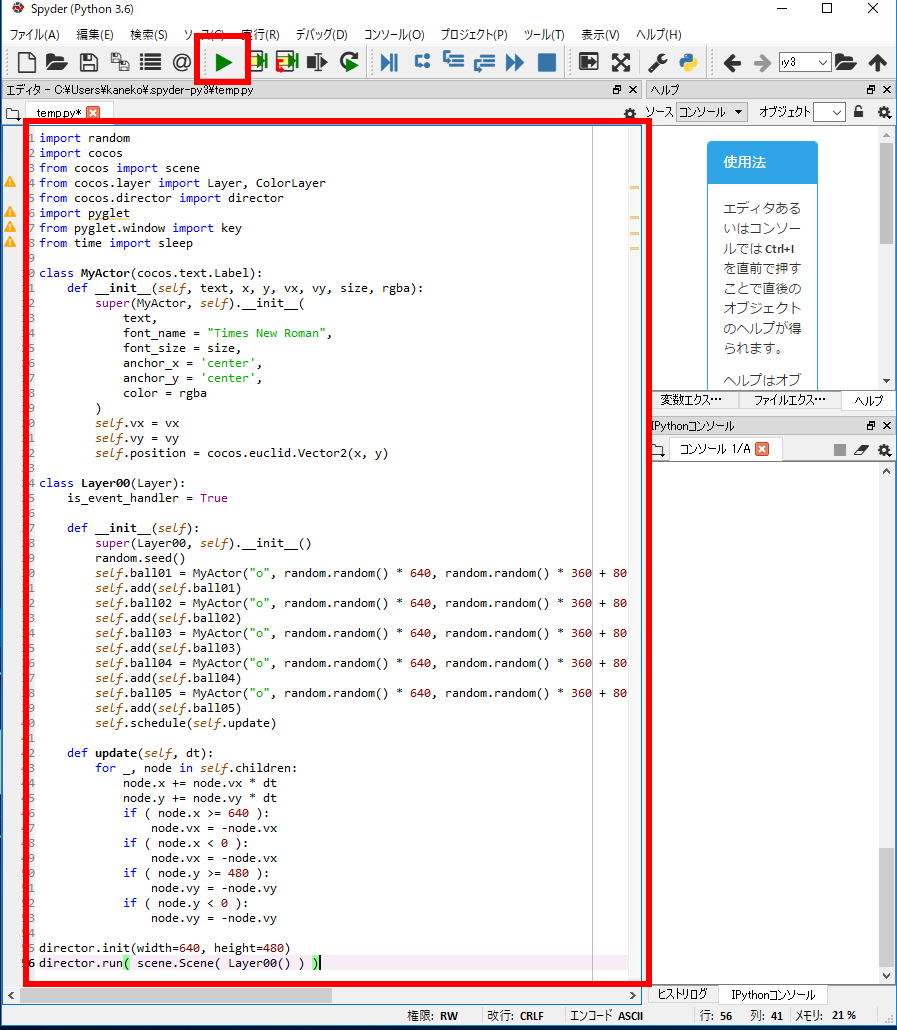
ボールの位置をランダム設定しているので真っ黒に見えるときがあります.真っ黒のときは一度終了して、もう一度実行。
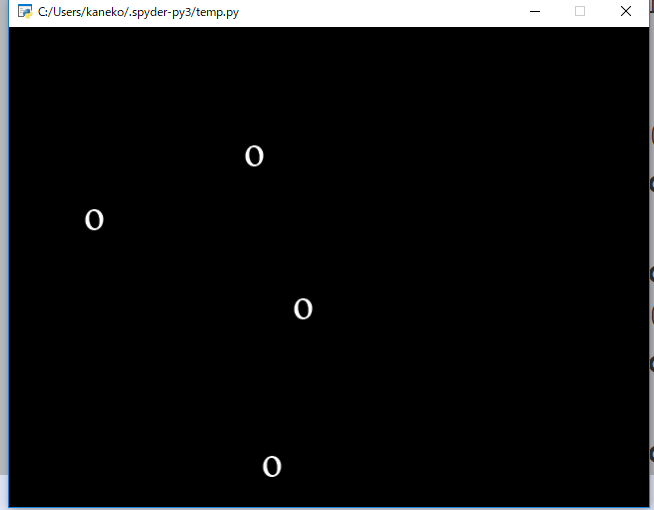
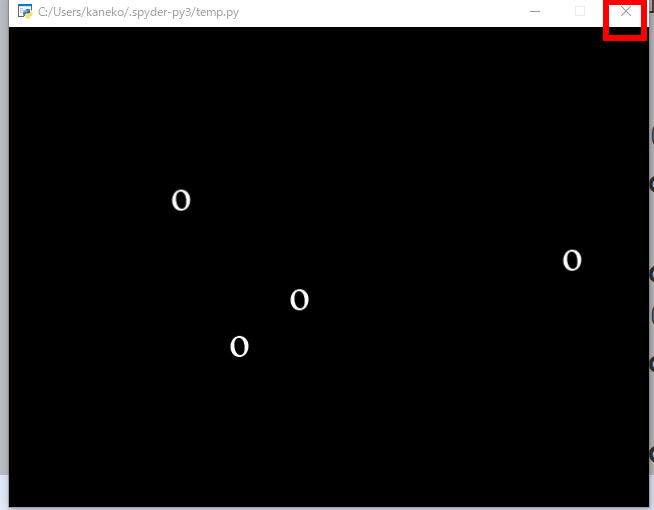
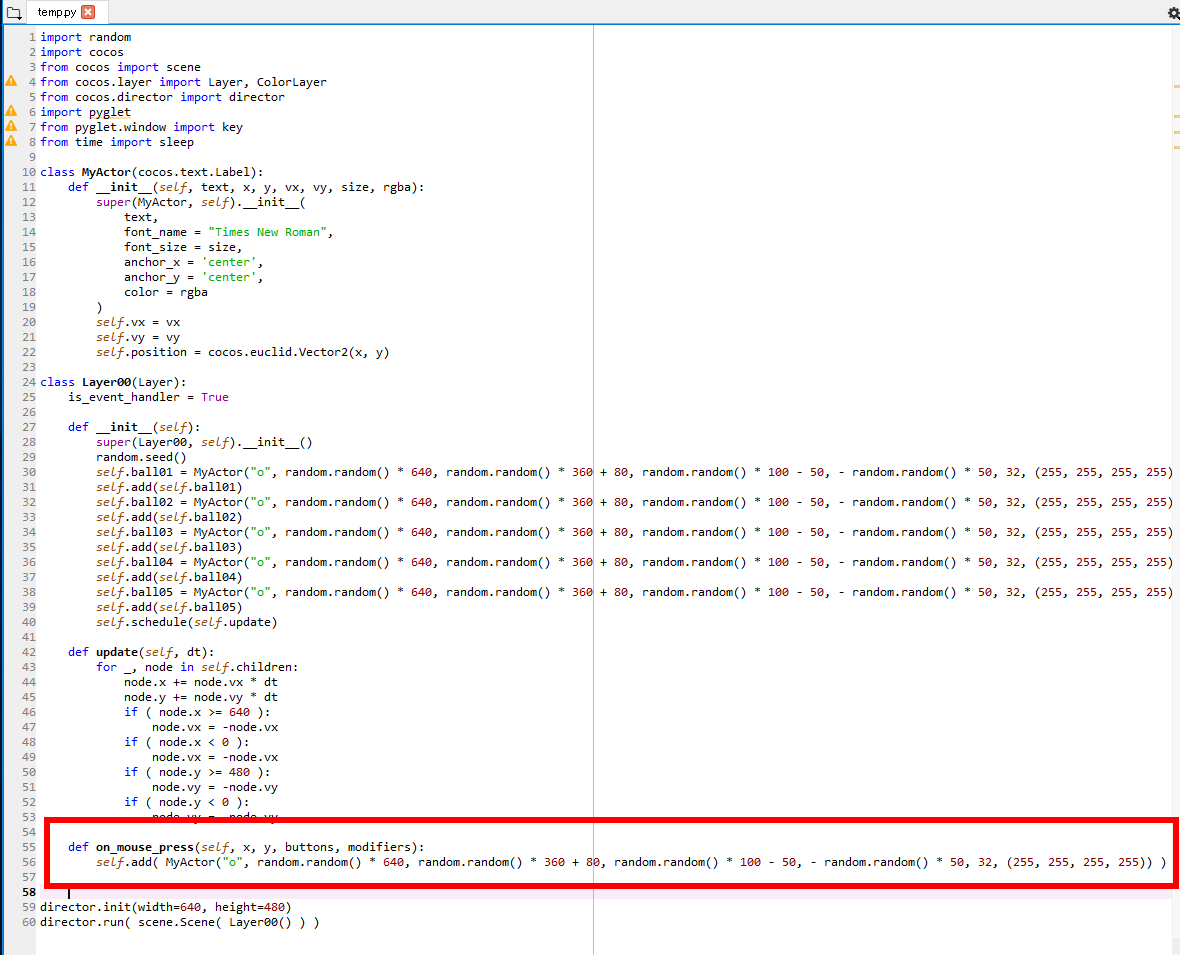
※ 字下げに注意すること.1行めは半角スペースで 4文字.2行目は半角スペースで 8文字.
    def on_mouse_press(self, x, y, buttons, modifiers):
        self.add( MyActor("o", random.random() * 640, random.random() * 360 + 80, random.random() * 100 - 50, - random.random() * 50, 32, (255, 255, 255, 255)) )
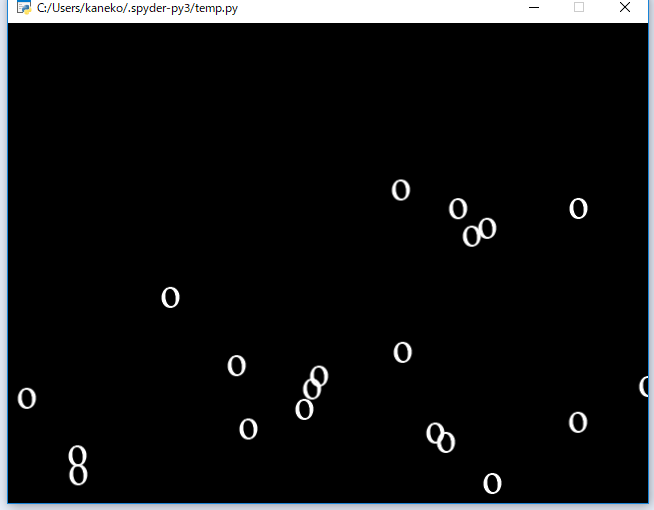
クラスの判定は「if (
オブジェクトの当たり判定は「if ( ( ( self.player.x - 4 ) < node.x ) and ( node.x < ( self.player.x + 4 ) ) and ( ( self.player.y - 4 ) < node.y ) and ( node.y < ( self.player.y + 4 ) ) ):」のように行う
import random
import cocos
from cocos import scene
from cocos.layer import Layer, ColorLayer
from cocos.director import director
import pyglet
from pyglet.window import key
from time import sleep
class MyActor(cocos.text.Label):
    def __init__(self, text, x, y, vx, vy, size, rgba):
        super(MyActor, self).__init__(
            text,
            font_name = "Times New Roman",
            font_size = size,
            anchor_x = 'center',
            anchor_y = 'center',
            color = rgba
        )
        self.vx = vx
        self.vy = vy
        self.position = cocos.euclid.Vector2(x, y)
        self.type="MyActor"
class Player(cocos.text.Label):
    def __init__(self, text, x, y, size, rgba):
        super(Player, self).__init__(
            text,
            font_name = "Times New Roman",
            font_size = size,
            anchor_x = 'center',
            anchor_y = 'center',
            color = rgba
        )
        self.position = cocos.euclid.Vector2(x, y)
        self.type="Player"
class Layer00(Layer):
    is_event_handler = True
    def __init__(self):
        super(Layer00, self).__init__()
        random.seed()
        self.ball01 = MyActor("o", random.random() * 640, random.random() * 360 + 80, random.random() * 100 - 50, - random.random() * 50, 32, (255, 255, 255, 255))
        self.add(self.ball01)
        self.ball02 = MyActor("o", random.random() * 640, random.random() * 360 + 80, random.random() * 100 - 50, - random.random() * 50, 32, (255, 255, 255, 255))
        self.add(self.ball02)
        self.ball03 = MyActor("o", random.random() * 640, random.random() * 360 + 80, random.random() * 100 - 50, - random.random() * 50, 32, (255, 255, 255, 255))
        self.add(self.ball03)
        self.ball04 = MyActor("o", random.random() * 640, random.random() * 360 + 80, random.random() * 100 - 50, - random.random() * 50, 32, (255, 255, 255, 255))
        self.add(self.ball04)
        self.ball05 = MyActor("o", random.random() * 640, random.random() * 360 + 80, random.random() * 100 - 50, - random.random() * 50, 32, (255, 255, 255, 255))
        self.add(self.ball05)
        self.player = Player("+", 320, 80, 40, (120, 200, 255, 255))
        self.add(self.player)
        self.schedule(self.update)
    def update(self, dt):
        for _, node in self.children:
            if ( type(node) == MyActor ):
                node.x += node.vx * dt
                node.y += node.vy * dt
                if ( node.x >= 640 ):
                    node.vx = -node.vx
                if ( node.x < 0 ):
                    node.vx = -node.vx
                if ( node.y >= 480 ):
                    node.vy = -node.vy
                if ( node.y < 0 ):
                    node.vy = -node.vy
                if ( ( ( self.player.x - 4 ) < node.x ) and ( node.x < ( self.player.x + 4 ) ) and ( ( self.player.y - 4 ) < node.y ) and ( node.y < ( self.player.y + 4 ) ) ):
                    node.element.color = (255,10,10,255)
    def on_mouse_press(self, x, y, buttons, modifiers):
        self.add( MyActor("o", random.random() * 640, random.random() * 360 + 80, random.random() * 100 - 50, - random.random() * 50, 32, (255, 255, 255, 255)) )
    def on_key_press(self, symbol, modifiers):
        if symbol == key.RIGHT:
            self.player.x += 8
        elif symbol == key.LEFT:
            self.player.x -= 8
        elif symbol == key.UP:
            self.player.y += 8
        elif symbol == key.DOWN:
            self.player.y -= 8
director.init(width=640, height=480)
director.run( scene.Scene( Layer00() ) )