| [サイトマップへ] |
ここで行うこと. pyenv をインストールする.pyenv の配下に Anaconda 5.3.0 (Python 3.6 同封)、Python 2.7.15 をインストールする.それらにパッケージを追加する.
目次
サイト内の関連 Web ページ:
次のコマンドを実行.
sudo apt update sudo apt -yV upgrade sudo apt -yV dist-upgrade sudo apt -yV autoremove sudo apt autoclean sudo shutdown -r now
次のコマンドを実行.
sudo apt -yV install git cmake wget p7zip
cd /tmp git clone https://github.com/pyenv/pyenv.git ~/.pyenv
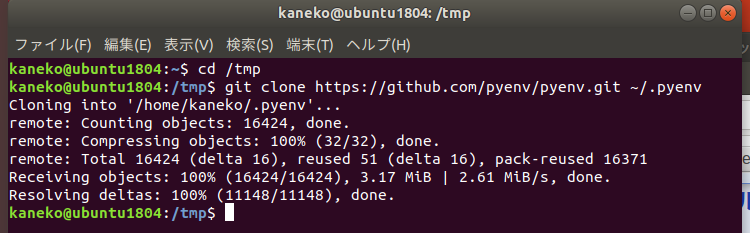
cd ~/.pyenv git pull

echo 'export PYENV_ROOT="${HOME}/.pyenv"' >> ~/.bashrc
echo 'if [ -d "${PYENV_ROOT}" ]; then' >> ~/.bashrc
echo ' export PATH=${PYENV_ROOT}/bin:$PATH' >> ~/.bashrc
echo ' eval "$(pyenv init -)"' >> ~/.bashrc
echo 'fi' >> ~/.bashrc
exec $SHELL -l

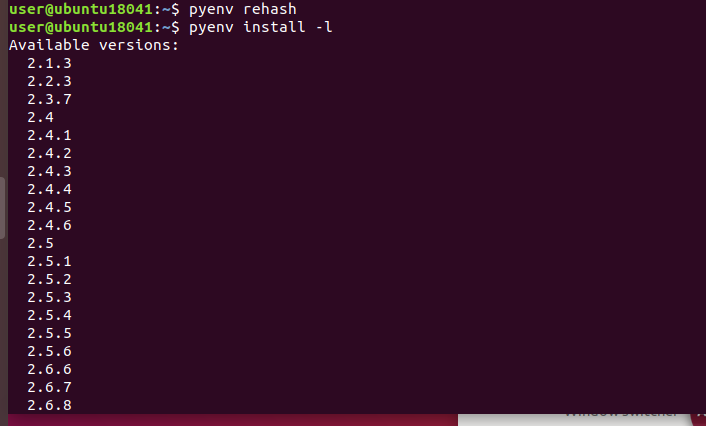
pyenv rehash pyenv install -l
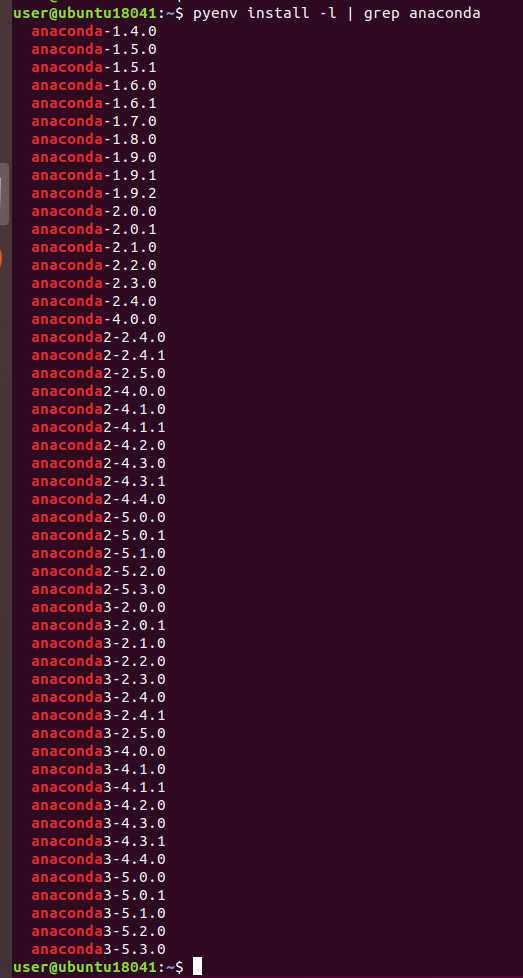
pyenv install -l | grep anaconda
sudo apt -yV install libbz2-dev libsqlite3-dev libssl-dev libreadline-dev libpng-dev libjpeg-dev zlib1g-dev libx11-dev libfreetype6-dev
下の実行例では anaconda3-5.3.0 をインストールしている
pyenv install anaconda3-5.3.0
pyenv versions
「anaconda3-5.3.0」がインストールされたことが分かる
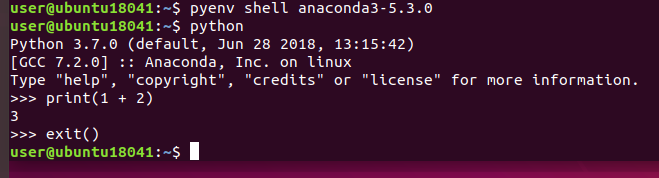
「pyenv shell anaconda3-5.3.0」は、anaconda3-5.3.0 のPythonの使用を開始するためのコマンド
pyenv shell anaconda3-5.3.0 python print(1 + 2) exit()
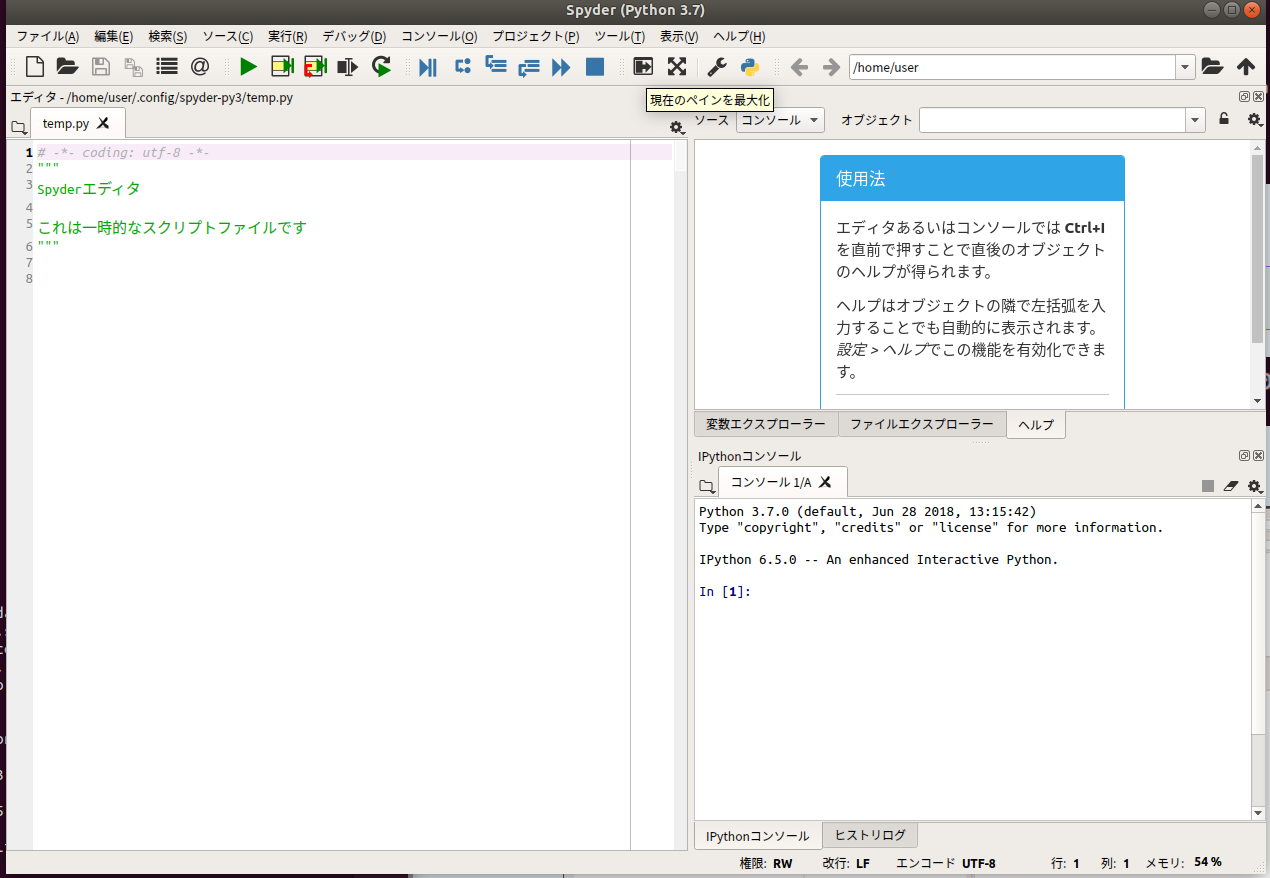
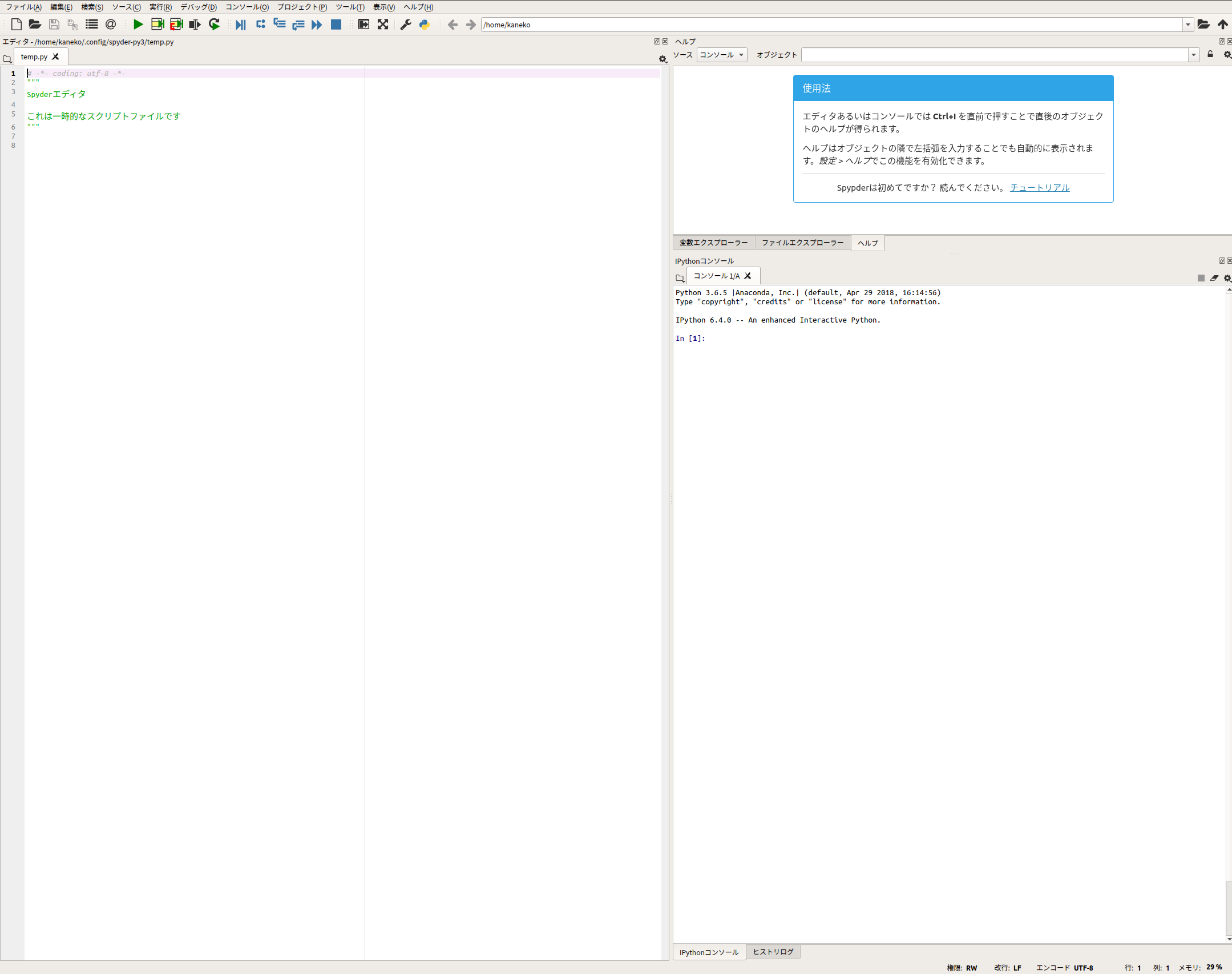
pyenv shell anaconda3-5.3.0 spyder
spyder の画面が開くことを確認する
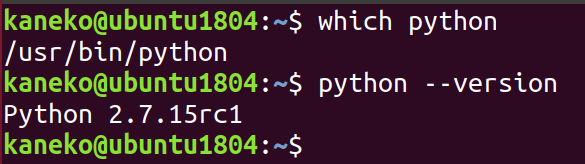
which python python --version
Ubuntu 18.04 での実行結果の例
pyenv rehash pyenv install -l
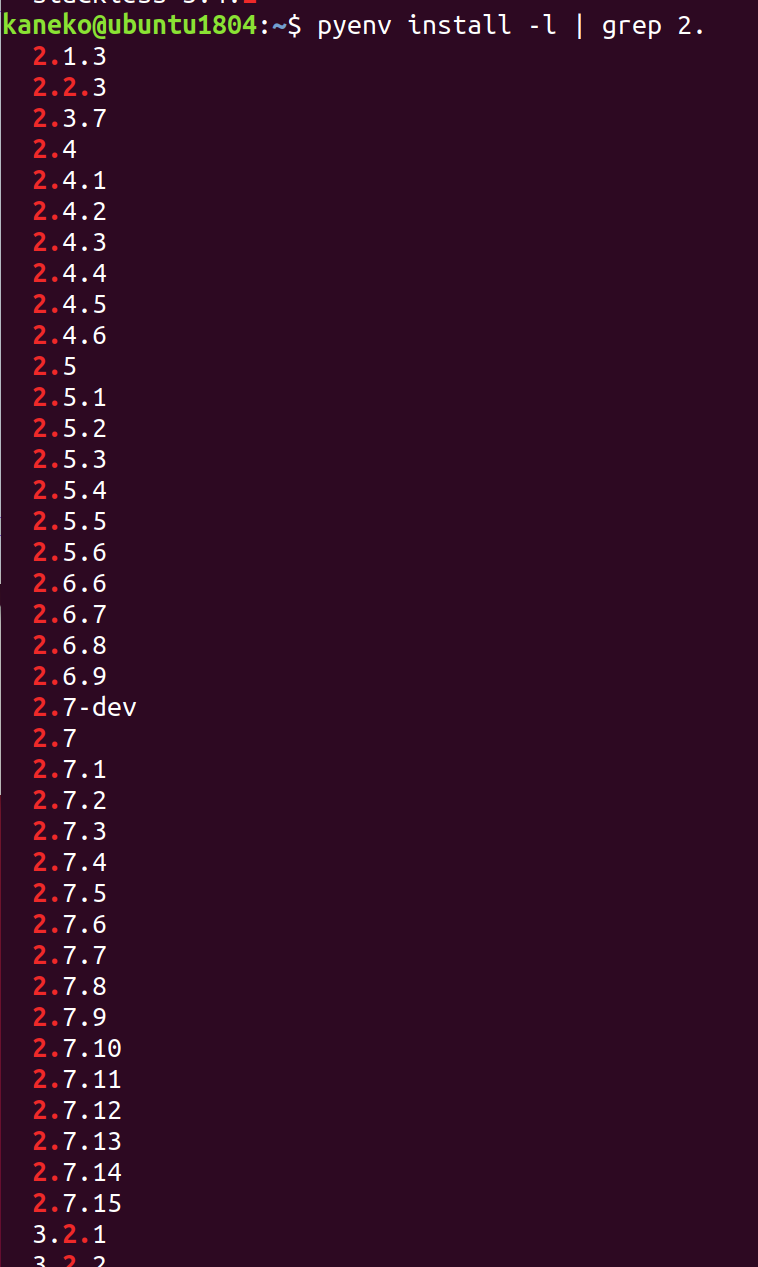
pyenv install -l | grep 2.
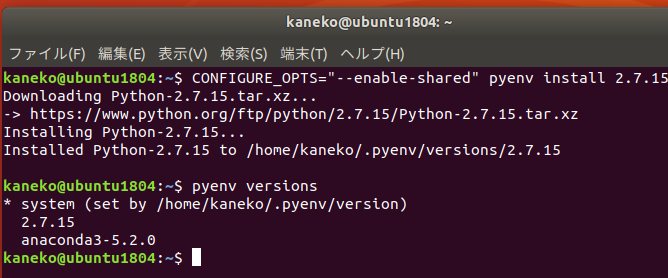
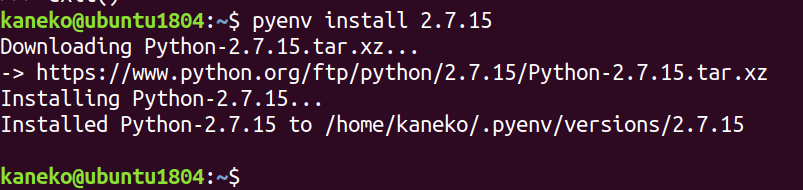
pyenv install 2.7.15
pyenv versions
複数のPython がインストールされていることが分かる。
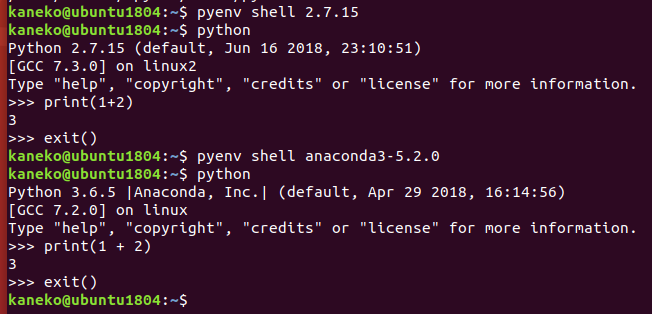
使用する Python の切り替えは 次のコマンドで行う
pyenv shell 2.7.15 python print(1 + 2) exit() pyenv shell anaconda3-5.3.0 python print(1 + 2) exit()
echo 'pyenv shell 2.7.15' >> ~/.bashrc exec $SHELL -l
echo 'pyenv shell anaconda3-5.3.0' >> ~/.bashrc exec $SHELL -l
ls ~/.pyenv/versions
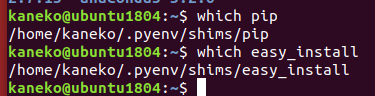
which pip which easy_install
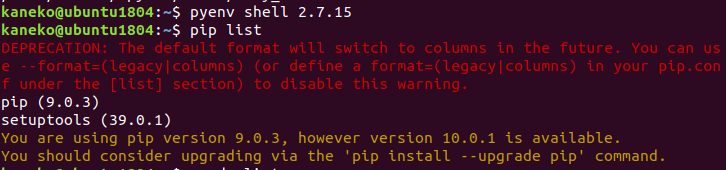
pyenv shell 2.7.15 which pip which easy_install pip list
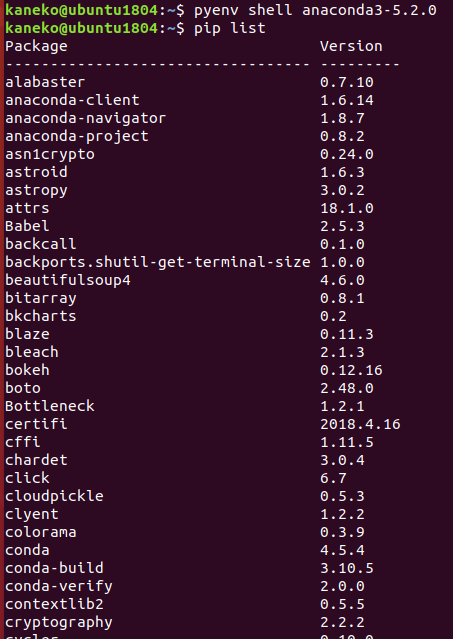
pyenv shell anaconda3-5.3.0 which pip which easy_install pip list
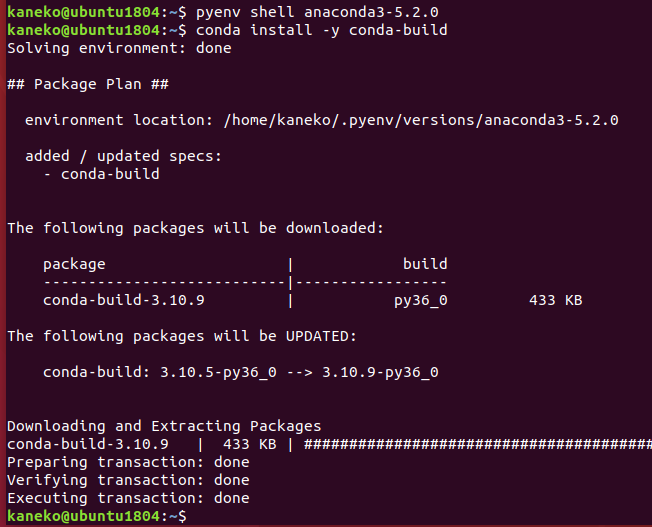
※ conda-buildパッケージは,condaパッケージを自前で作成するなどが簡単にできるためのツール.
pyenv shell anaconda3-5.3.0 conda install -y conda-build
※ 「Proceed ([y]/n)?」と表示されたら, y + Enter で続行する.「反応が遅いなあ」と思ったら、Enter キーを押してみる.
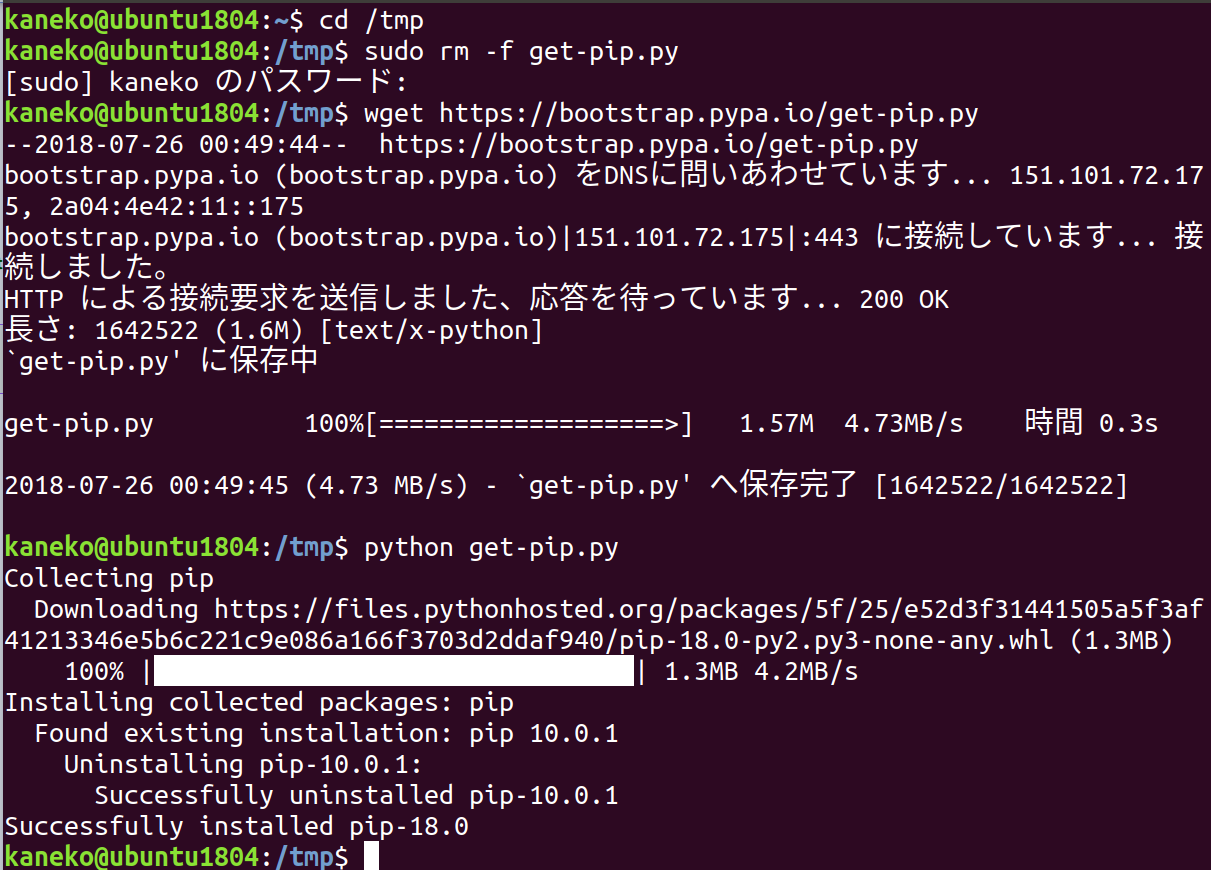
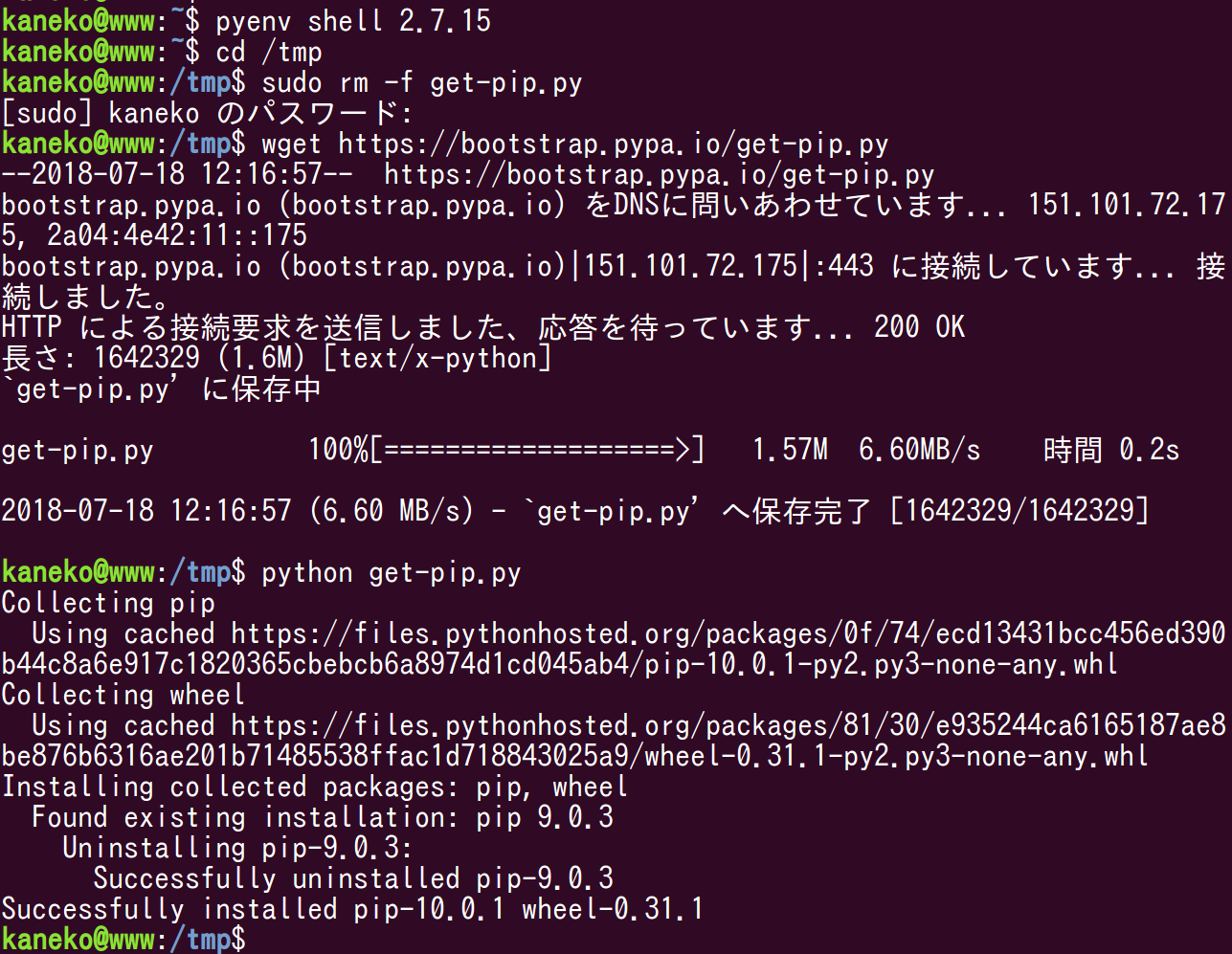
cd /tmp sudo rm -f get-pip.py wget https://bootstrap.pypa.io/get-pip.py python get-pip.py
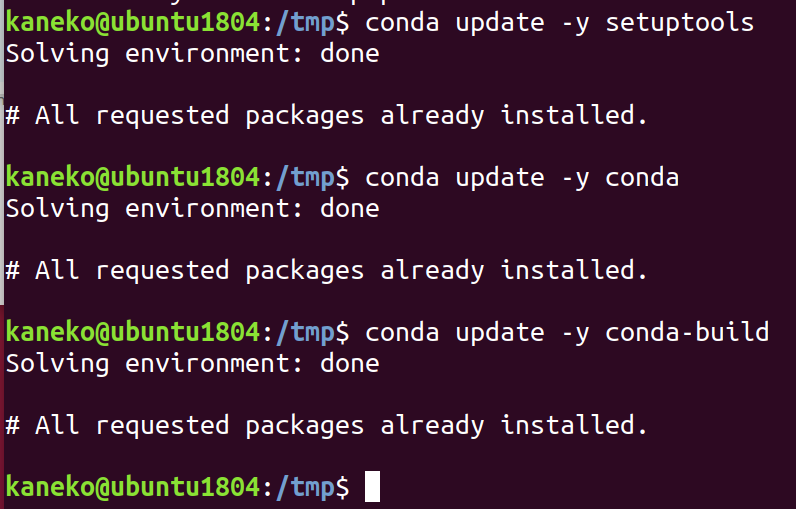
conda update -y setuptools conda update -y conda conda update -y conda-build
※ 「Proceed ([y]/n)?」と表示されたら, y + Enter で続行する.「反応が遅いなあ」と思ったら、Enterキーを押してみる.
conda install -y gcc_linux-64 conda install -y gxx_linux-64 conda update -y --all
Anaconda では,「conda」という形式の Python のパッケージも、簡単に扱うことができる. Python のパッケージを追加することで,Python にいろいろな機能を追加することができる.conda を用いてPythonパッケージ以外のソフトウエアをインストールすることもできる
次のコマンドを実行
pyenv shell anaconda3-5.3.0 conda install -y numpy conda install -y six conda install -y protobuf conda install -y pillow conda install -y hdf5 conda install -y h5py conda install -y chainer # conda install -y scikit-learn conda install -y scikit-image conda install -y matplotlib conda install -y seaborn conda install -y graphviz conda install -y pydot conda install -y yaml conda install -y flask conda install -y django conda install -y sympy conda install -y pandas conda install -y sqlite conda install -y redis conda install -y scipy conda install -y gensim conda install -y cython conda install -y opencv conda install -y pylint conda install -y bz2file conda install -y PyOpenGL conda install -y ipykernel # pip install ... か github を使うもの # 最初の conda ... は、下の pip でいれているものの前提ソフトウエア conda install -y termcolor astor wheel setuptools six protobuf werkzeug markdown absl-py grpcio gast future six click cligj click-plugins munch fiona python-dateutil pytz pyproj shapely pip install git+https://github.com/msgpack/msgpack-python pip install git+https://github.com/davisking/dlib pip install git+https://github.com/ageitgey/face_recognition pip install git+https://github.com/jrosebr1/imutils pip install --ignore-installed --upgrade tensorflow pip install git+https://github.com/keras-team/keras pip install --ignore-installed --upgrade pyglet pip install --ignore-installed --upgrade pygame pip install --ignore-installed --upgrade cocos2d pip install --ignore-installed --upgrade geopandas pip install git+https://github.com/DinoTools/python-overpy # conda-forge か pip install git+https://github... でインストールするもの pip install git+https://github.com/python-visualization/folium conda install -y -c conda-forge exifread conda install -y -c conda-forge haversine conda install -y -c conda-forge utm conda install -y -c conda-forge gdal #again conda install -y conda conda update -y --all
※ 「Proceed ([y]/n)?」と表示されたら, y + Enter で続行する.「反応が遅いなあ」と思ったら、Enterキーを押してみる.
https://github.com/spyder-ide/spyder に記載の手順に従う
pyenv shell anaconda3-5.3.0 pip install PyQt5 pip install git+https://github.com/spyder-ide/spyder-kernels pip install git+https://github.com/spyder-ide/qtpy cd /tmp git clone https://github.com/spyder-ide/spyder.git cd spyder git pull python bootstrap.py python setup.py install
「spyder」で、試しに起動してみる.
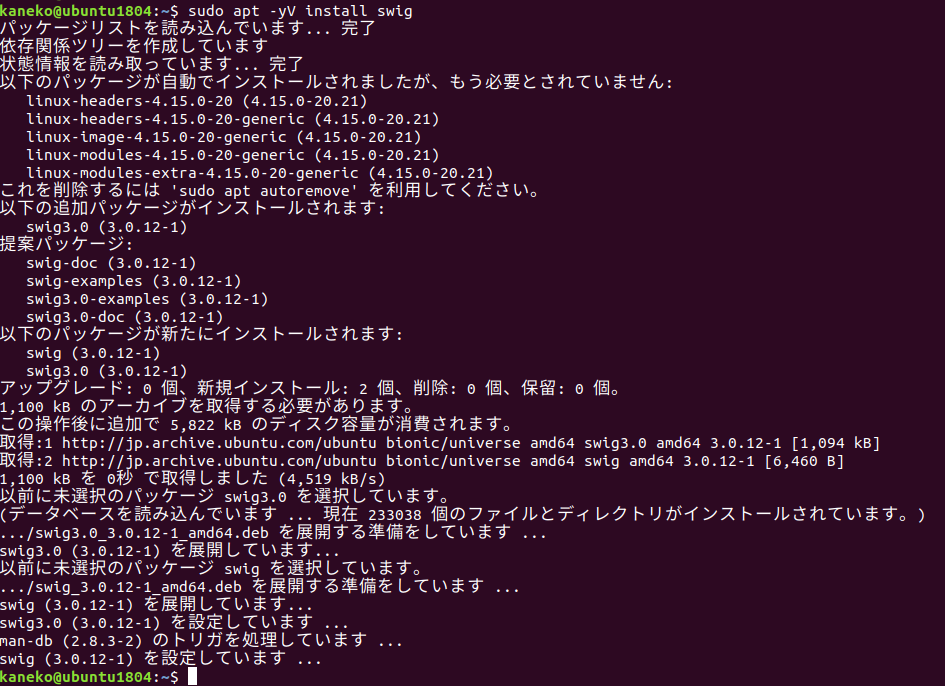
sudo apt -yV install swig
http://www.swig.org/Doc1.3/Python.html#Python_nn6 に記載のサンプルプログラム
%module example
%{
#define SWIG_FILE_WITH_INIT
#include "example.h"
%}
int fact(int n);
#include "example.h"
int fact(int n) {
if (n < 0){ /* This should probably return an error, but this is simpler */
return 0;
}
if (n == 0) {
return 1;
}
else {
/* testing for overflow would be a good idea here */
return n * fact(n-1);
}
}
int fact(int n);
#!/usr/bin/env python
"""
setup.py file for SWIG example
"""
from distutils.core import setup, Extension
example_module = Extension('_example',
sources=['example_wrap.c', 'example.c'],
)
setup (name = 'example',
version = '0.1',
author = "SWIG Docs",
description = """Simple swig example from docs""",
ext_modules = [example_module],
py_modules = ["example"],
)
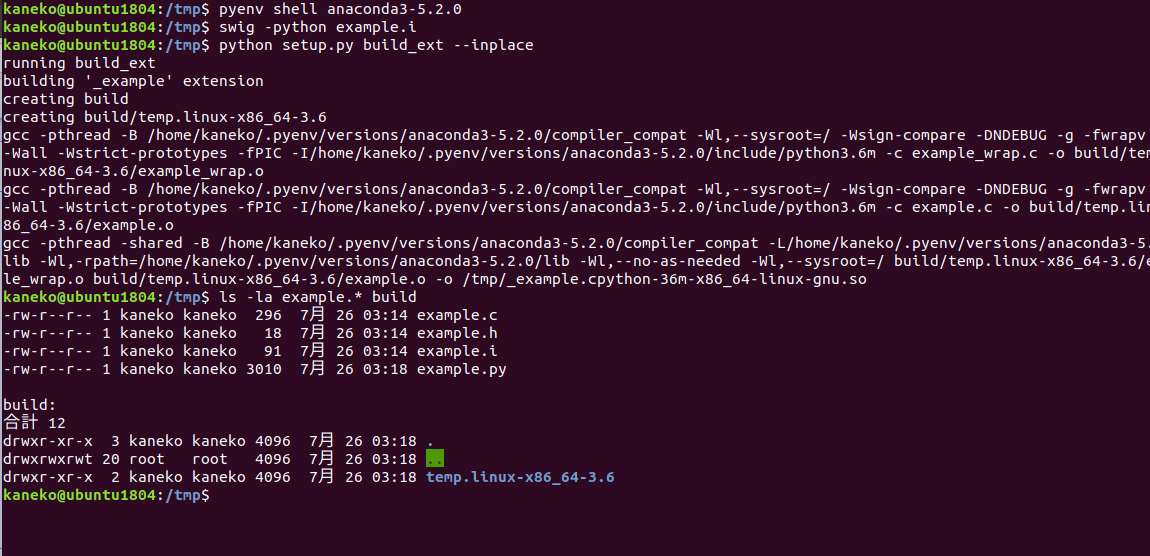
端末で次のように操作
pyenv shell anaconda3-5.3.0 swig -python example.i python setup.py build_ext --inplace ls -la example.* build
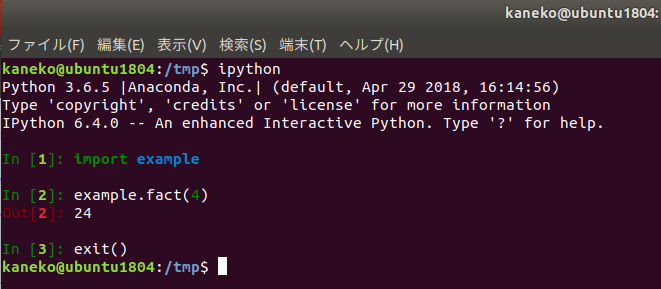
import example example.fact(4) exit()
参考Webページ https://qiita.com/ruteshi_SI_shiteru/items/be6a58276bdbd67dc096
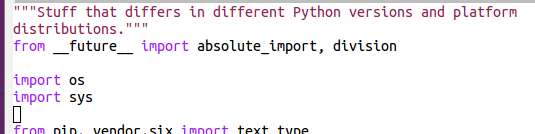
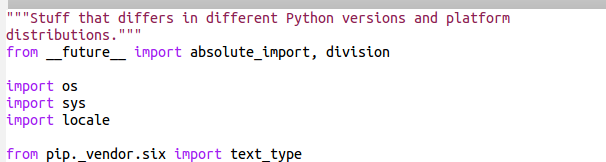
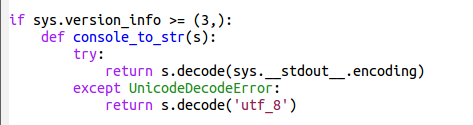
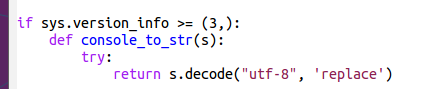
~/.pyenv/versions/anaconda3-5.3.0/pkgs/pip-9.0.3-py36_0/lib/python3.6/site-packages/pip/compat/__init__.py をエディタで修正.
※ 「pip-9.0.3-py36_0」のところは違うかも.
修正前
修正後
修正前
修正後
pyenv shell 2.7.15 cd /tmp sudo rm -f get-pip.py wget https://bootstrap.pypa.io/get-pip.py python get-pip.py
※ 「Proceed ([y]/n)?」と表示されたら, y + Enter で続行する.「反応が遅いなあ」と思ったら、Enter キーを押してみる.
次のコマンドを実行. pip を利用.sudo は付けない.
pyenv shell 2.7.15 pip install --ignore-installed --upgrade numpy pip install --ignore-installed --upgrade six pip install --ignore-installed --upgrade protobuf pip install --ignore-installed --upgrade pillow pip install --ignore-installed --upgrade hdf5 pip install --ignore-installed --upgrade h5py pip install --ignore-installed --upgrade chainer # pip install --ignore-installed --upgrade scikit-learn pip install --ignore-installed --upgrade scikit-image pip install --ignore-installed --upgrade matplotlib pip install --ignore-installed --upgrade seaborn pip install --ignore-installed --upgrade graphviz pip install --ignore-installed --upgrade pydot pip install --ignore-installed --upgrade yaml pip install --ignore-installed --upgrade flask pip install --ignore-installed --upgrade django pip install --ignore-installed --upgrade sympy pip install --ignore-installed --upgrade pandas pip install --ignore-installed --upgrade sqlite pip install --ignore-installed --upgrade redis pip install --ignore-installed --upgrade scipy pip install --ignore-installed --upgrade gensim pip install --ignore-installed --upgrade cython pip install --ignore-installed --upgrade opencv pip install --ignore-installed --upgrade pylint pip install --ignore-installed --upgrade bz2file pip install --ignore-installed --upgrade PyOpenGL pip install --ignore-installed --upgrade ipykernel # pip install ... か github を使うもの # 最初の conda ... は、下の pip でいれているものの前提ソフトウエア pip install --ignore-installed --upgrade termcolor astor wheel setuptools six protobuf werkzeug markdown absl-py grpcio gast future six click cligj click-plugins munch fiona python-dateutil pytz pyproj shapely pip install git+https://github.com/msgpack/msgpack-python pip install git+https://github.com/davisking/dlib pip install git+https://github.com/ageitgey/face_recognition pip install git+https://github.com/jrosebr1/imutils pip install --ignore-installed --upgrade tensorflow pip install git+https://github.com/keras-team/keras pip install --ignore-installed --upgrade pyglet pip install --ignore-installed --upgrade pygame pip install --ignore-installed --upgrade cocos2d pip install --ignore-installed --upgrade geopandas pip install git+https://github.com/DinoTools/python-overpy # conda-forge か pip install git+https://github... でインストールするもの pip install git+https://github.com/python-visualization/folium pip install --ignore-installed --upgrade exifread pip install --ignore-installed --upgrade haversine pip install --ignore-installed --upgrade utm # pip install --ignore-installed --upgrade gdal #again pip install --ignore-installed --upgrade conda
※ 「Proceed ([y]/n)?」と表示されたら, y + Enter で続行する.「反応が遅いなあ」と思ったら、Enterキーを押してみる.